
cleveland.com
cleveland.comNews & Magazines
3.2334.00 Reviews
- Version
- 5.0.0
- Installs
- 100.00K
- Age Rating
- Teen
Screenshots

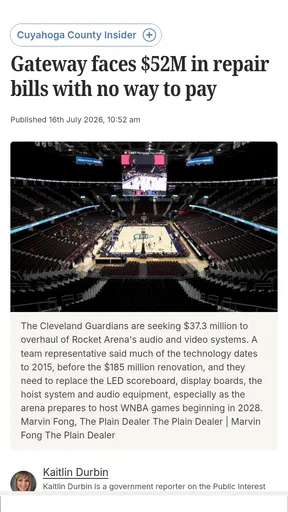

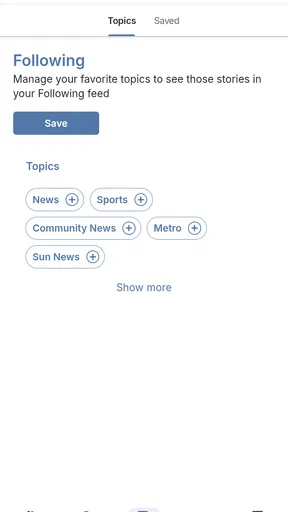
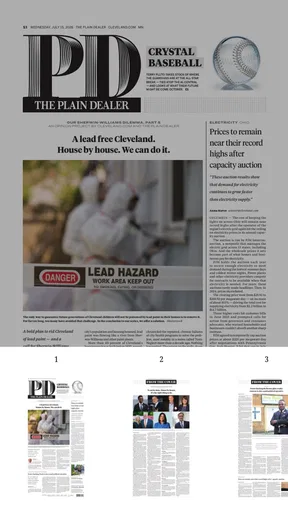
Our Review of cleveland.com
 Analysis by Appyee
So, I’ve been diving into the world of news apps lately, and one that caught my attention is cleveland.com. If you're someone who loves keeping up with the latest happenings in and around Cleveland, this app might just become your new best friend. Let me walk you through my experience.
Who gets the most from a local news app
I find this app most useful when Cleveland itself is the main subject, rather than one stop among many in a general news feed. It is a free news and magazines app from cleveland.com, and its local focus gives it a clearer purpose than an all-purpose national news reader. If you live in the area, have family there, or follow Cleveland teams from somewhere else, that focus can make everyday browsing feel more relevant.
A practical routine is to open it during breakfast, scan the local headlines, and save a longer story for a commute or a break later in the day. That works better than expecting one app to explain every national or international development. I would keep a broader news source alongside it if a major story beyond Northeast Ohio matters to you; this is best treated as a local window, not a complete replacement for general coverage.
It may also suit someone who has recently moved to Cleveland and wants a sense of what is happening around the city. Local reporting can give context to conversations about neighborhoods, public decisions, schools, or sports in a way a national feed often cannot. The trade-off is that a new resident may still need other sources for practical information that is not part of the app’s reporting.
Reading with a purpose, not just scrolling
One useful habit is to decide what you want from a session before opening the app. If I have only a minute, I would check the main local headlines and leave deeper reading for later. If I am following one issue, I would use search to find relevant coverage instead of repeatedly scrolling the homepage. That small change makes a local news app feel less like another endless feed and more like a tool for answering a specific question.
Saved articles are especially useful when a story needs concentration. I would set one aside when I have a reliable connection, then read it later when mobile access is inconvenient. That can be helpful on transit or in a waiting room, but it is worth saving the particular story rather than assuming every item will be available offline. The feature is most valuable as a deliberate reading queue, not as a promise that the whole publication will travel with you.
Notifications need a similar bit of thought. Breaking alerts can help when a developing local story affects your plans, but every alert competes for attention. I would start with a restrained notification setup, then loosen it only if I find myself missing updates that genuinely matter. That is a better fit for most people than leaving every possible alert on and eventually muting the app altogether.
Where it fits beside other news choices
Compared with a large national news app, cleveland.com has a narrower brief. That limitation is also its reason to exist: a general feed may mention Cleveland only when an event has wider importance, while a local publication can devote more attention to the area. For a reader who wants local context, that difference matters more than having every topic in one place.
Compared with visiting a news website in a browser, a dedicated app can make repeat visits and section browsing feel more direct. The app’s bottom navigation, as I experienced it, keeps common destinations close at hand. A browser may still be preferable if you rarely read local news, want to compare several publications in one sitting, or do not want another app on your device. The choice depends on whether Cleveland coverage is a frequent habit or an occasional check-in.
There is also a difference between a local news app and a social feed. Social platforms can surface eyewitness posts quickly, but they mix reporting with reactions and unverified claims. I would use this app for newsroom coverage and treat social posts as leads that need checking, not as substitutes for a reported article. For urgent, on-the-ground updates, neither format should be mistaken for a complete picture by itself.
Using the app day to day
When I first opened cleveland.com, I was greeted by a clean and intuitive interface. No clutter, just straightforward access to what really matters—the news. It’s like walking into a well-organized library where everything is right where you expect it to be. The homepage is neatly divided into sections, making it super easy to find what you're interested in, whether it's local news, sports, or entertainment.
Features That Stand Out
One of the first things I noticed was the customization options. You can tailor your feed to show more of what you love and less of what you don't. Want more sports updates? No problem. Interested in local politics? Done. It's all about making the app work for you, and I really appreciate that.
The app also offers push notifications for breaking news. I found this particularly useful for staying on top of important events without having to constantly check my phone. However, if you’re like me and prefer not to have your phone buzzing all the time, you can easily tweak the notification settings.
Content Depth and Quality
The quality of the articles is top-notch. Written by seasoned journalists, the articles provide in-depth coverage that you can trust. The app includes a nice mix of articles, from quick updates to longer, more detailed pieces. Plus, there are plenty of multimedia elements like videos and photo galleries to enhance the stories.
If you’re a sports fan, the dedicated sports section is a real treat. It covers everything from local high school sports to professional teams. The play-by-play updates and detailed analyses make it feel like you’re right in the middle of the action.
A realistic reading routine
Imagine checking local headlines before leaving home, then spotting a developing story that may affect your day. I would open the article for the details, rather than relying on the notification preview, and save it if I need to return to it later. If the story is about a team I follow, I can move into sports coverage without losing the local-news context. This is where a focused local app can earn a place in a daily routine: it connects a quick headline check with more substantial reading when time allows.
For a busy reader, the key is not to treat every section as mandatory. I would pick a couple of interests—perhaps local reporting and sports—and use customization to keep those easier to reach. That can reduce the amount of browsing, but it also means I might overlook stories outside those interests. Every so often, I would return to the broader homepage so that a tightly tailored feed does not become a blind spot.
Navigation and Usability
Navigating through the app is a breeze, thanks to its user-friendly design. The menu at the bottom keeps everything within reach, so you’re never more than a tap away from your favorite sections. I also love the search function, which is incredibly efficient for finding specific articles or topics.
Moreover, the app’s offline reading feature is a lifesaver for those times when you’re on the go without internet access. Simply save articles to read later, so you’re never missing out on the latest news.
Questions worth considering before relying on it
Readers often want to know whether this is free to try and whether paid options are part of the experience. The app is free to download, while in-app purchases are listed from $7.99 to $100.00 per item. I would check the purchase details shown in the app before committing to anything, and decide whether the available reading experience suits my habits rather than assuming every article or feature will work the same way without a purchase.
Its audience rating is Teen, so it is not presented as a children’s news app. I would still use ordinary judgment when deciding whether a particular story is appropriate for a younger reader, since news topics can vary widely. The rating gives a broad age guide; it does not replace checking the content itself.
For device compatibility, the current version is 4.5.2.2 and the listed minimum operating system is 8.0. The app has been available since February 19, 2011, so it is a long-running product rather than a new launch. Its average rating is 2.9 from 834 ratings, alongside 331 written reviews, and it has passed 100K installs. I would take that mixed rating as a reason to test it against my own routine, not as proof that it will be either excellent or unsuitable for every reader.
What could be better in everyday use
While I’m generally impressed, I did find a couple of areas that could use a little polish. The app sometimes takes a moment to load, especially when there are a lot of images or videos involved. It’s not a deal-breaker, but a tad more speed would enhance the overall experience.
Additionally, while the app does a great job with local news, I’d love to see a bit more coverage on national and international events. It’s understandable given the app’s focus, but a little more diversity in content could broaden its appeal.
The multimedia that adds richness to a story can also be the part that feels slowest, particularly when I am trying to read quickly or using a weaker connection. In that situation, I would prioritize text and save video-heavy stories for later rather than repeatedly waiting for them to load. That is a practical compromise, though it does make the experience less smooth than a text-first reader.
One sensible way to judge whether the app is right for you is to try it during a normal week, not only during a major local event. Notice whether the homepage gives you stories you actually want, whether alerts feel useful rather than noisy, and whether saved reading fits your schedule. If those habits do not develop naturally, a browser bookmark or a broader news app may be enough. If local coverage becomes part of your routine, the dedicated sections and search have a clearer payoff.
How the product’s history shapes expectations
Having been around since 2011 and now at version 4.5.2.2, the app has had time to develop beyond a first-release experiment. That history is useful context, but it does not tell me exactly which features changed between versions or how every update affected the interface. I judge the current experience by what it does now: provide a focused route into Cleveland-area reporting, with navigation and reading tools that support repeat use.
For existing users, a version number by itself is not a reason to expect a dramatic redesign. I would pay attention to whether updates make the app more dependable, improve loading, or make it easier to find the coverage I already follow. Those are the changes that would matter most in daily use. Until a change is visible, I would treat it as something to watch for rather than assume it has already happened.
The broader question is whether the product keeps its local strength while smoothing out the friction. Better responsiveness would help readers who open it for a quick check; clear control over alerts would help those who want timely news without constant interruptions. Those are practical priorities for a local publication app, not a demand that it become a national aggregator.
Final Thoughts
All in all, cleveland.com is a solid choice for anyone looking to stay updated with Cleveland’s news. It’s easy to use, packed with great content, and offers just the right amount of customization. Whether you're a long-time resident or new to the area, this app is a fantastic tool to keep you informed and engaged.
If you’re looking for an app that brings Cleveland right to your fingertips, give this one a try. You’ll probably find yourself wondering how you ever managed without it!
Who should keep it—and who may prefer something else
I would recommend giving it a try if Cleveland-area news is something you check often, especially if local sports or community issues are part of your interests. It is also a reasonable choice for someone who wants a straightforward place to browse local stories rather than piecing them together from social posts. The strongest case for installing it is a repeated need: a reader who checks in several times a week is more likely to benefit than someone who only wants occasional national headlines.
I would skip it if you mainly want a broad, balanced overview of world events, or if even occasional loading delays make a news app frustrating for you. A general news reader is a better fit for a wide range of regions and subjects; a browser is better for readers who prefer choosing among multiple publishers on each visit. Neither alternative makes this app redundant for a Cleveland-focused reader, but each serves a different purpose.
What I would watch in future use is not an assumed feature list but the basics that decide whether local reporting remains convenient: whether stories open promptly, whether search continues to help locate topics, and whether notification controls let me stay informed on my own terms. If those parts work well for the stories I care about, the app earns its place. If they do not, the same local coverage may be easier for me to follow another way.
Verdict
Strengths of cleveland.com
- Comprehensive local news coverage.
- User-friendly interface design.
- Regularly updated content.
- Customizable notification settings.
- Access to multimedia content.
Limitations of cleveland.com
- Ads can be intrusive at times.
- Limited offline reading options.
- Subscription required for full access.
- Occasional app crashes reported.
- Navigation can be slightly complex.
Other Releases by cleveland.com
View All
cleveland.com: Browns News
Sports3.8

The Plain Dealer
News & Magazines3.9
Similar Picks in This Category
View All
Google News - Daily Headlines
Google LLC4.0

X
X Corp.4.8

Flipboard:Your Social Magazine
Flipboard3.4

Opera News: breaking & local
Opera4.5

Hindi News by Dainik Bhaskar
Dainik Bhaskar Group4.0

Way2News Daily News App
Way2News ( Formerly Way2SMS )4.6
Frequently Asked Questions
What is cleveland.com and what type of content does it offer?
Cleveland.com is a comprehensive news app that provides a wide range of content, including local news, sports updates, entertainment, and lifestyle articles specific to the Cleveland area. Users can access real-time news updates, feature stories, and multimedia content tailored to their interests. The app aims to keep users informed about happenings in and around Cleveland.
Is cleveland.com free to use, or are there subscription options available?
While cleveland.com offers a variety of free content, certain features and articles may require a subscription. Users can opt for a subscription to access premium content, which typically includes in-depth articles and exclusive reports. The app provides different subscription plans, allowing users to choose one that best fits their needs and budget.
What devices are compatible with the cleveland.com app?
The cleveland.com app is available for both Android and iOS devices. It can be downloaded from the Google Play Store for Android users and the Apple App Store for iOS users. The app is designed to work seamlessly on smartphones and tablets, ensuring a smooth user experience regardless of the device used.
How frequently is the content updated on cleveland.com?
Content on cleveland.com is updated regularly to provide users with the latest news and information. The app offers real-time updates on breaking news, enabling users to stay informed as events unfold. Additionally, sports scores, weather updates, and other time-sensitive content are refreshed frequently to maintain accuracy and relevance.
Does cleveland.com offer personalized content or notifications?
Yes, cleveland.com provides options for personalized content and notifications. Users can customize their news feed based on their interests and receive push notifications for breaking news, sports scores, or other updates they wish to follow closely. This feature ensures users receive relevant information without having to manually search for it.
